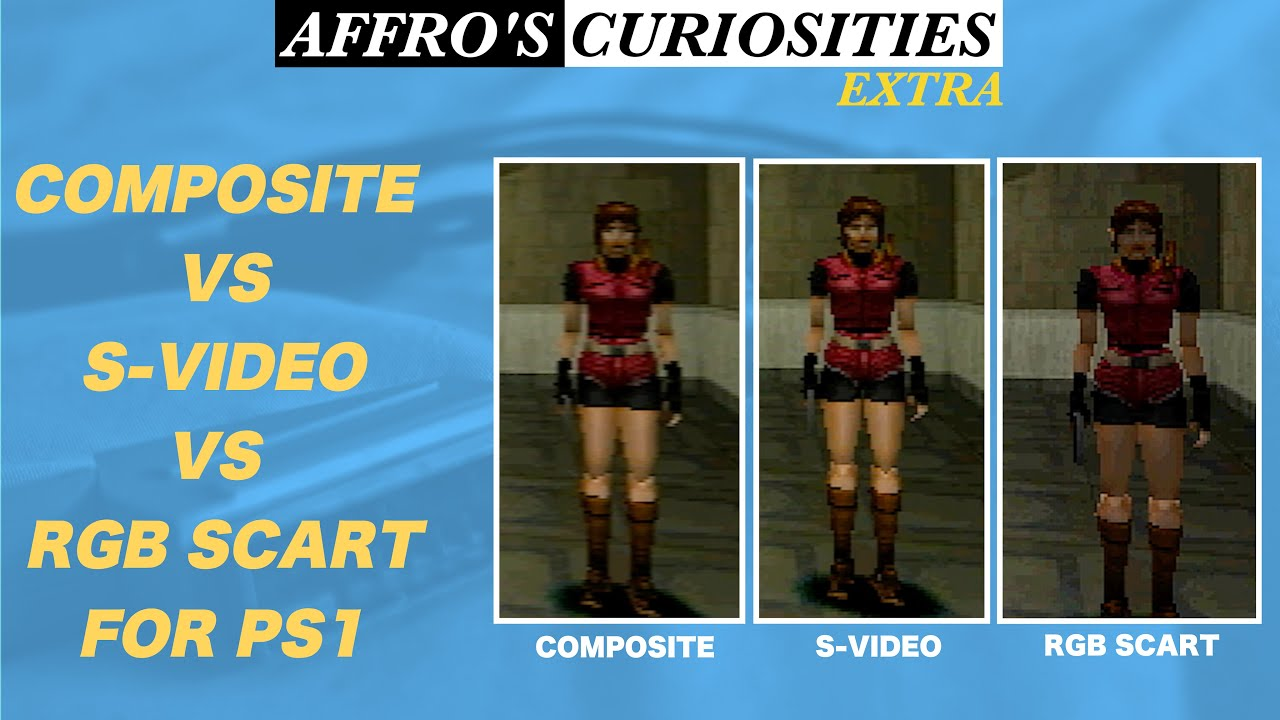
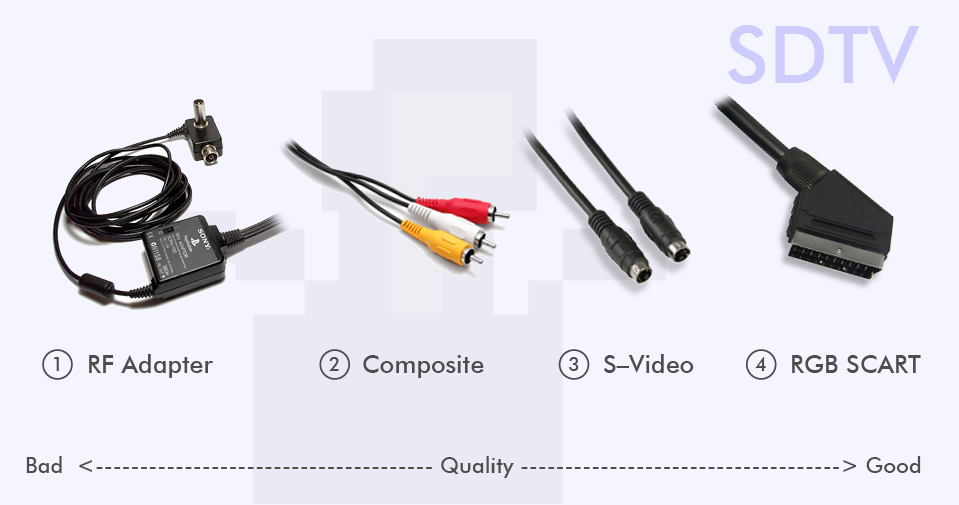
Choosing the best cables for CRT gaming can dramatically improve your experience. The cable you use has a massive impact on picture sharpness, color accuracy, and overall image quality. In 2026, the ranking from worst to best is generally: RF → Composite → S-Video → RGB/SCART → Component (YPbPr).
| Cable type | Signal quality | Availability | Price range | Best for |
|---|---|---|---|---|
| RF | Very poor | Very common | Free – $5 | Last resort only |
| Composite (RCA) | Poor | Very common | $5 – $15 | Absolute beginners |
| S-Video | Good | Moderate | $10 – $25 | Budget upgrade from Composite |
| RGB / SCART | Excellent | Europe & Japan easily, US harder | $20 – $50 | Maximum authenticity, SNES/PS1/Dreamcast |
| Component (YPbPr) | Excellent | Common in US, moderate elsewhere | $15 – $40 | Best practical choice in North America |
Understanding the technical differences will help you make the right choice for your setup.
1. RF Cables (Radio Frequency) – The Lowest Quality
RF cables were the standard connection method for old antenna TVs. They combine both audio and video into a single coaxial signal and modulate it onto a specific channel (usually Channel 3 or 4).
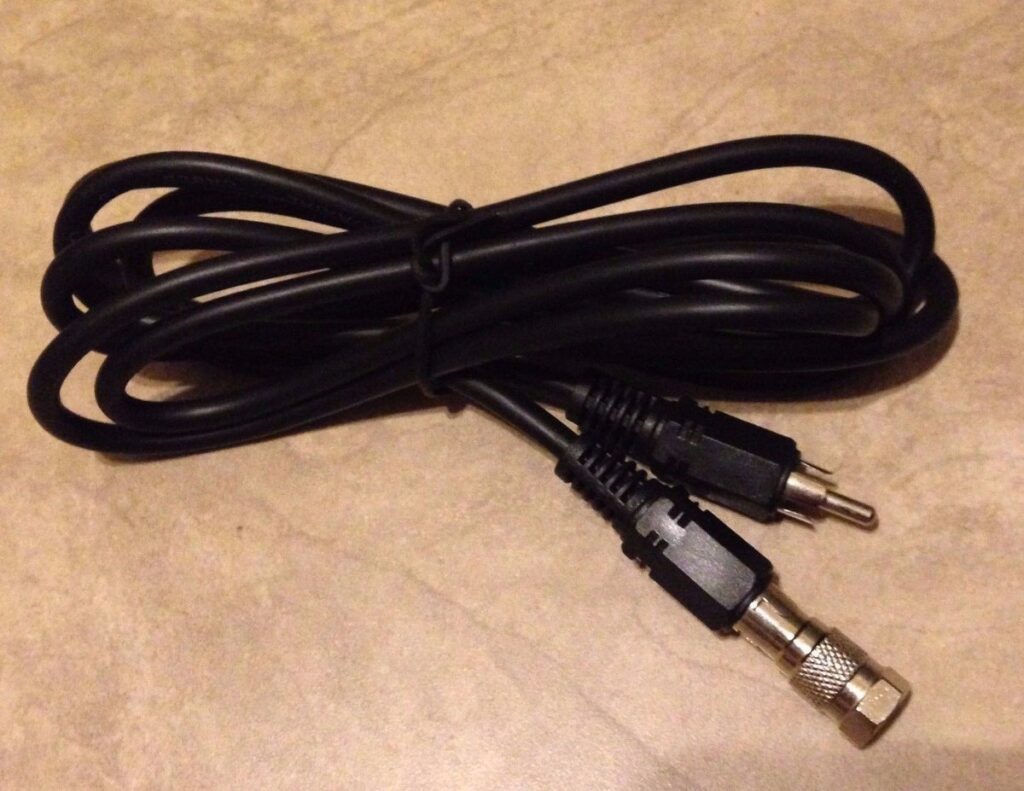
Technical Explanation: The video and audio signals are heavily compressed and mixed together. This causes significant interference, noise, and loss of detail. Because everything is sent on one frequency, the TV has to demodulate the signal, which introduces extra blur and color bleeding.
Pros: Extremely common and works on almost any old TV. Cons: Very blurry image, poor color separation, and noticeable noise.
Verdict: Only use RF if you have absolutely no other option. It is not recommended for enjoyable retro gaming. Definitly not the best cables for crt gaming
2. Composite Cables (RCA) – The Most Common Beginner Option
Composite uses the familiar yellow video cable along with red and white audio cables.
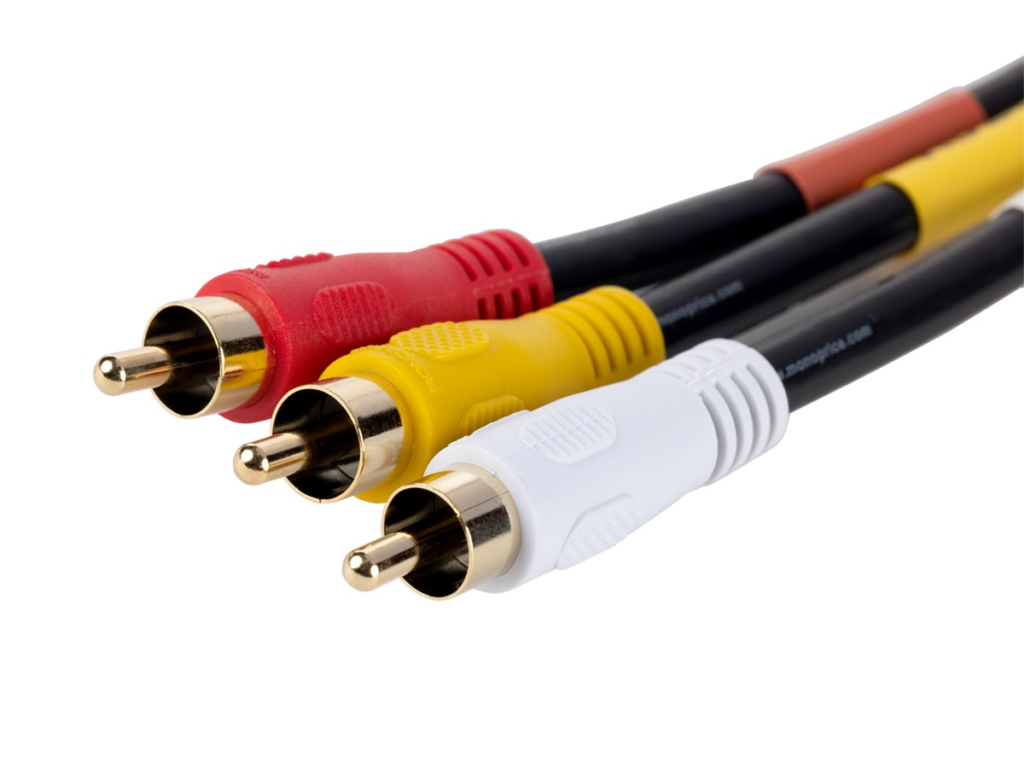
Technical Explanation: Composite sends the entire video signal (luminance + chrominance) through a single wire. The TV then has to separate brightness and color information itself. This process causes dot crawl, color bleeding, and reduced sharpness. While simple, it throws away a lot of picture information.
Pros: Cheap, widely available, and works with almost every retro console. Cons: Noticeable blur and muddy colors compared to better cables.
Composite is a decent starting point but most gamers quickly upgrade after seeing the difference.
3. S-Video Cables – A Clear Improvement
S-Video (Super Video) uses a round 4-pin connector and separates the video signal into two parts: luminance (brightness) and chrominance (color).
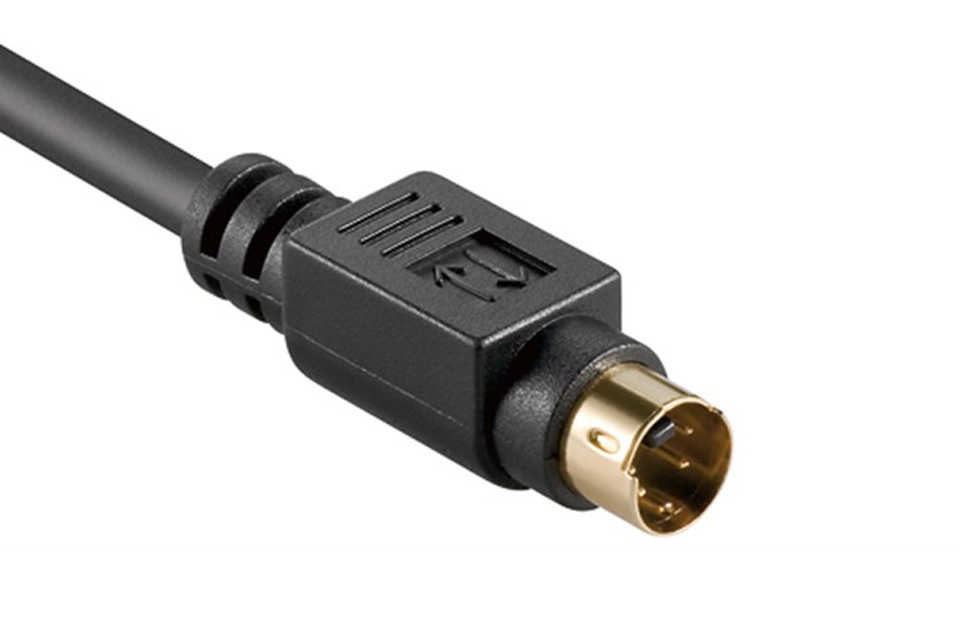
Technical Explanation: By keeping brightness and color signals separate, S-Video avoids much of the interference and dot crawl found in Composite. This results in sharper edges, better color accuracy, and reduced noise. However, it still combines color information into one signal (unlike RGB).
Pros: Noticeable jump in clarity and color quality over Composite. Cons: Not all consoles supported it natively, and cables can be harder to find.
S-Video gets you 80% of the way to the best possible image with a fraction of the hassle.
4. RGB / SCART Cables – Excellent Authenticity
RGB sends separate Red, Green, and Blue signals. In Europe and Japan, this is most commonly delivered through SCART connectors. Considered by folks in Europe to be the best cables for crt gaming!
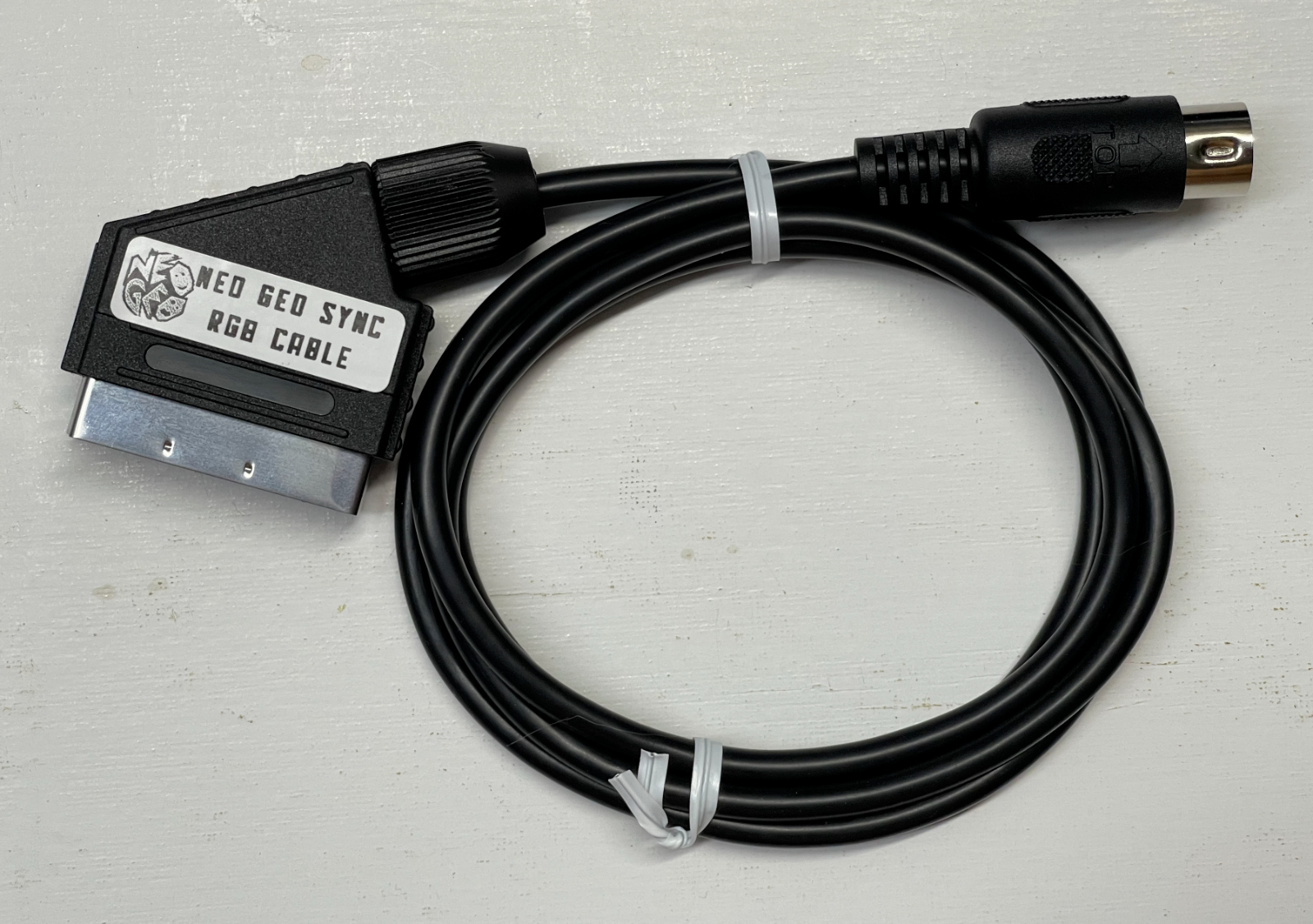
Technical Explanation: Each primary color gets its own dedicated wire, allowing for maximum color accuracy and sharpness. RGB avoids the color encoding/decoding losses of Composite and S-Video. SCART cables can also carry RGB + sync signals in one connector, making setup cleaner on compatible hardware.
Pros: Very sharp, vibrant colors, and excellent scanline reproduction. Cons: More expensive cables and sometimes requires adapters outside Europe.
RGB/SCART is highly prized for its authentic look, especially on SNES, PS1, and Dreamcast.
5. Component Cables (YPbPr) – Often the Best Practical Choice in 2026
Component uses three video cables (usually Red, Green, Blue) plus audio. If you ask anyone in the US these are best cables for crt gaming!
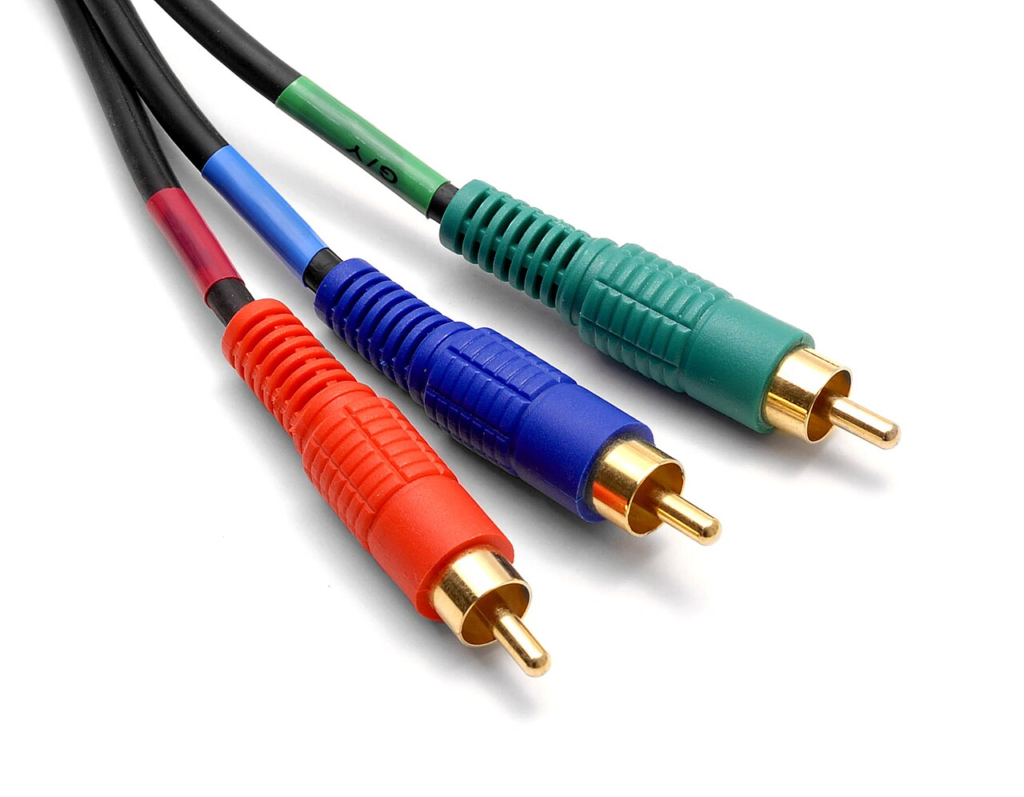
Technical Explanation: Component (also called YPbPr) separates the signal into luminance (Y) and two color difference channels (Pb and Pr). This provides excellent bandwidth and detail preservation. It offers near-RGB quality while being more widely supported on both consoles and CRTs in many regions.
Pros: Outstanding sharpness, great color depth, relatively easy to source good cables. Cons: Slightly less “pure” than native RGB on some systems, but the difference is minor for most gamers.
For most people in 2026, Component is the practical sweet spot for best cables for CRT gaming.
RGB/SCART vs Component – Which Should You Use?
- Choose RGB/SCART for maximum authenticity and the most “correct” image on compatible consoles.
- Choose Component for excellent quality that’s easier to find and use in 2026.
Both are excellent — the difference is small compared to jumping from Composite to S-Video.
Final Recommendation – best cables for crt gaming
Start with whatever good cables you can find (other than RF), but aim for Component or RGB as soon as possible, they are just the best cables for crt gaming. The jump in picture quality is huge and makes retro gaming far more enjoyable.
The right cables turn good retro gaming into an amazing experience. The difference on a CRT is night and day – once you see it, you won’t want to go back.
Now find out what’s the best crt for retro gaming
