The RetroTINK 5X Pro review consensus in 2026 is unanimous – this is the most recommended upscaler in the retro gaming community, and after spending serious time collecting online research it’s easy to understand why.
This review covers everything you need to know – what it does, how to set it up, how it performs with specific consoles, how it compares to the competition, and whether it is worth the money in 2026.
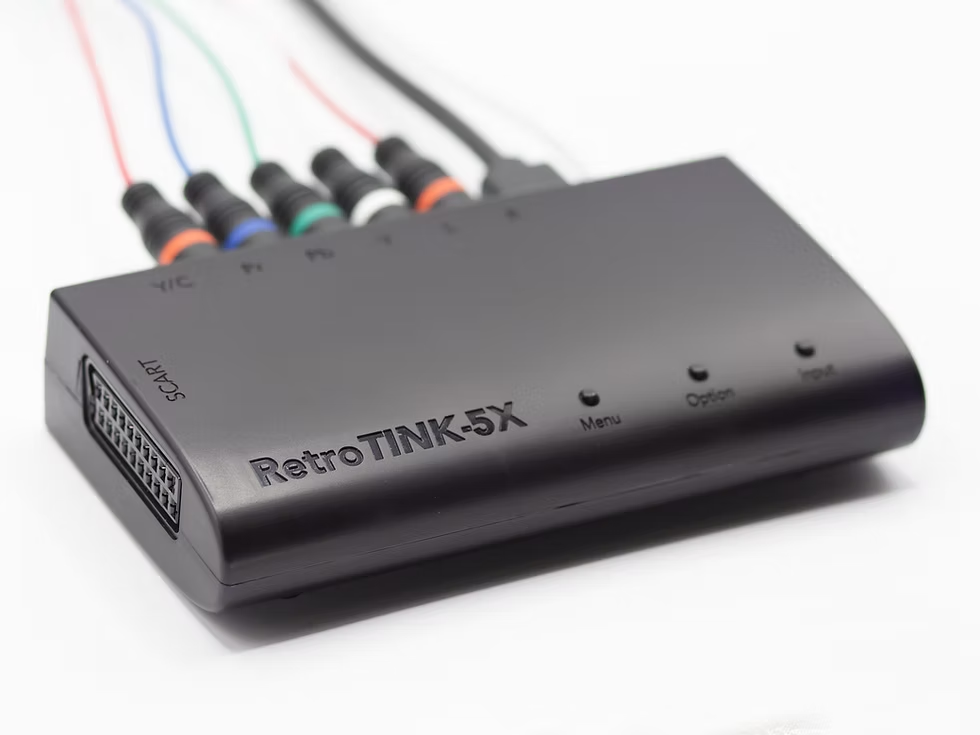
This RetroTINK 5X Pro review covers everything from first setup to advanced scanline profiles – giving you everything you need to decide if it is right for your setup.
RetroTINK 5X Pro Review – What Does It Actually Do?
The RetroTINK 5X Pro is an analogue to digital video upscaler designed specifically for retro gaming consoles. It takes the original analogue video signals output by classic consoles – Composite, S-Video, Component, and RGB – and converts them to a clean digital HDMI signal your modern TV can display properly.
The “5X” in the name refers to its ability to perform a perfect 5x integer scale of 240p content to 1200p – meaning a 240p image from a SNES or PS1 is scaled up by exactly 5 times without any interpolation blur, resulting in pixel-perfect sharp output. It also supports output up to 1440p for compatible displays.
Crucially, it does this with virtually zero input lag – the FPGA-based design adds no perceptible delay beyond your display’s own processing time, making it suitable even for timing-sensitive games and competitive play.
RetroTINK 5X Pro – Full Specifications
| Specification | Detail |
|---|---|
| Price | $325 direct from retrotink.com |
| Input ports | Composite, S-Video, Component (YPbPr), RGB via SCART |
| Output port | HDMI |
| Supported input resolutions | 240p, 288p, 480i, 576i, 480p, 720p*, 1080i* |
| Supported output resolutions | 480p, 720p, 1080p, 1200p, 1440p |
| Input lag | Virtually zero (FPGA based, no frame buffering) |
| Video standards | NTSC, PAL, PAL-60 |
| Deinterlacer | Motion adaptive, Weave, Bob, Blend, CRT simulation |
| Power | Micro USB, 5V 1.5A minimum |
| Remote included | Yes – upgraded premium remote available separately |
*720p and 1080i inputs are chroma limited to 4:2:2. All standard definition inputs are processed at 4:4:4 chroma resolution.
*This RetroTINK 5X Pro review would not be complete without noting that the firmware is actively updated – new features have been added regularly since launch including the 1440p output mode and improved scanline profiles.
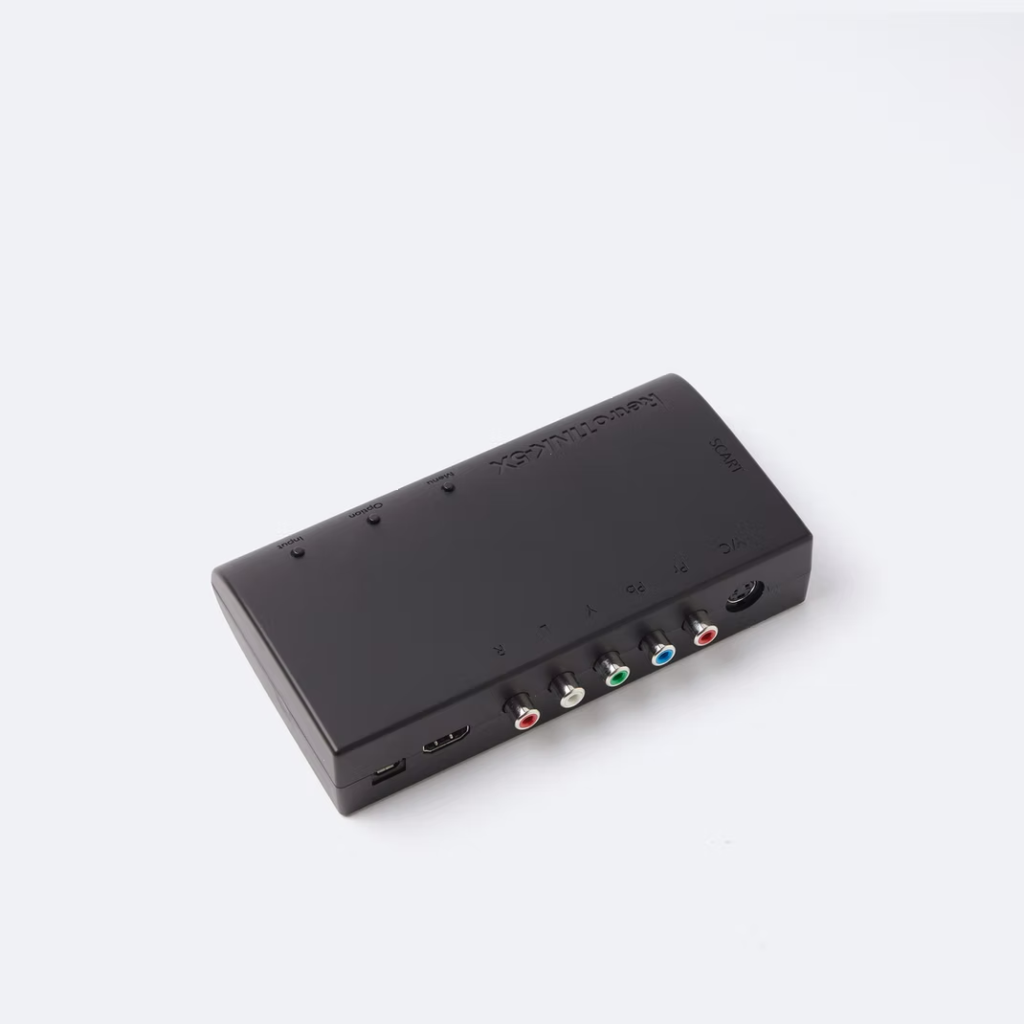
What’s in the Box
The RetroTINK 5X Pro ships with the unit itself, a remote control, and a Micro USB power cable. It does not include an HDMI cable or a power adapter – you need to supply your own. Use a quality 5V USB power adapter capable of at least 1.5A output; the RetroTINK team specifically recommends against using your TV’s USB port as power can be inconsistent and cause issues.
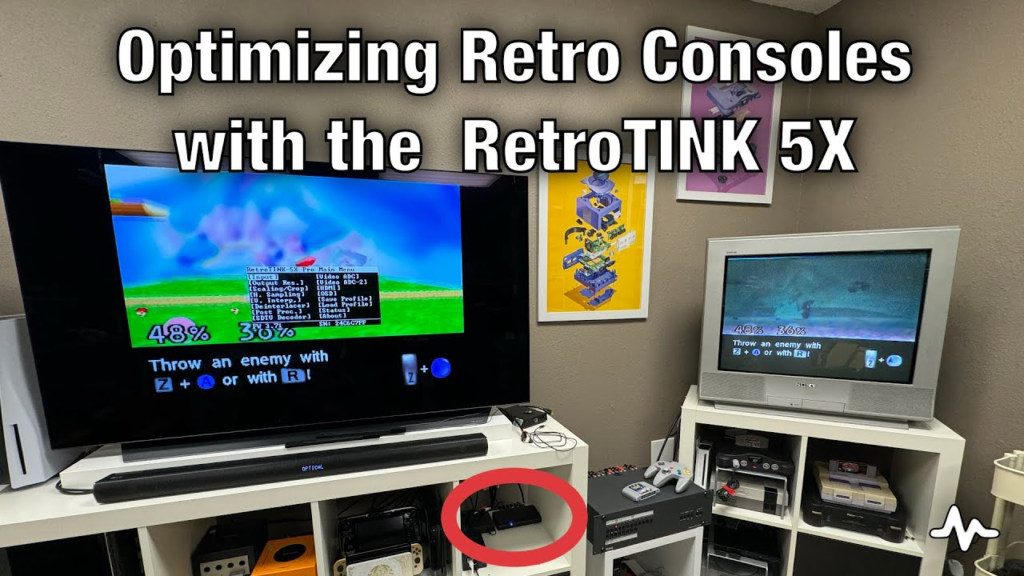
Setup – How to Connect the RetroTINK 5X Pro
Setup is refreshingly straightforward for a device with this many features. The basic process is the same regardless of which console you are connecting:
- Connect the RetroTINK 5X Pro to your TV using an HDMI cable (not included).
- Connect a quality USB power supply to the Micro USB port and power on the unit – it powers on automatically when USB power is detected.
- Connect your console to the RetroTINK using the best cable your console supports – SCART or Component for the best results, S-Video as a solid middle ground.
- Use the Input button on the unit or remote to select the correct input source.
- Power on your console – the RetroTINK will automatically detect the signal and display it on your TV.
- Update the firmware before doing anything else – download the latest firmware from retrotink.com and install it via the Micro USB port. Firmware updates have added significant features including the 1440p output mode and improved scanline profiles.
One important note: firmware updates erase saved profiles and reset the device to default settings, so back up any custom profiles before updating.
Image Quality – Console by Console
The most important part of any RetroTINK 5X Pro review is real world image quality across the consoles most people actually own.
SNES and NES (240p via RGB SCART or S-Video)
This is where the RetroTINK 5X Pro genuinely shines. The SNES outputs a clean RGB signal natively and the RetroTINK’s console-specific sampling mode for SNES (256 pixel optimal sampling) produces a pixel-perfect image that is sharp, colourful, and completely free of the shimmer and blur that generic scalers introduce. The 5x integer scale to 1200p means every pixel is exactly 5 times its original size – no interpolation, no blur, just clean crisp pixels. Games like Super Metroid and Donkey Kong Country look exceptional.
PS1 (240p via RGB SCART or Component)
The PS1 also benefits enormously from the RetroTINK’s console-optimised sampling mode (320 and 384 pixel modes for PS1). The characteristic shimmer and instability that PS1 games exhibit on basic upscalers is completely eliminated. Early 3D games like Metal Gear Solid and Castlevania: Symphony of the Night look significantly better than most modern players have ever seen them – closer to how they appeared on a good CRT than any other modern display solution.
N64 (240p via S-Video or modded RGB)
The N64 is where the RetroTINK’s limitations become most apparent – but this is the N64’s fault, not the RetroTINK’s. The N64 does not output RGB natively, meaning the best unmodded signal available is S-Video. The RetroTINK handles S-Video competently and the result is noticeably better than the N64 looks on a modern TV without an upscaler. However the N64’s notorious composite blur remains partially visible even via S-Video. An RGB-modded N64 connected via SCART is a completely different story – sharp, clean, and dramatically better than S-Video alone.
PS2 (480i/480p via Component)
The PS2 is a strong use case for the RetroTINK. The motion adaptive deinterlacer – designed specifically for game content – handles the PS2’s 480i output cleanly with no additional lag penalty. For PS2 games that support 480p progressive output, Component via the RetroTINK produces an excellent image. The recommended settings for PS2 involve disabling the EDTV Low Pass Filter for cleaner results.
Mega Drive and Saturn (240p via RGB SCART)
Both consoles output RGB natively and both look excellent through the RetroTINK via SCART. The Genesis/Saturn optimal sampling mode (320 pixels) is specifically tuned for these consoles. Sonic the Hedgehog and other fast-scrolling Mega Drive titles look particularly sharp with the RetroTINK’s integer scaling and low latency output.
CRT Shader and Scanline Options
The big question in any RetroTINK 5X Pro review is whether the CRT simulation modes are worth using.
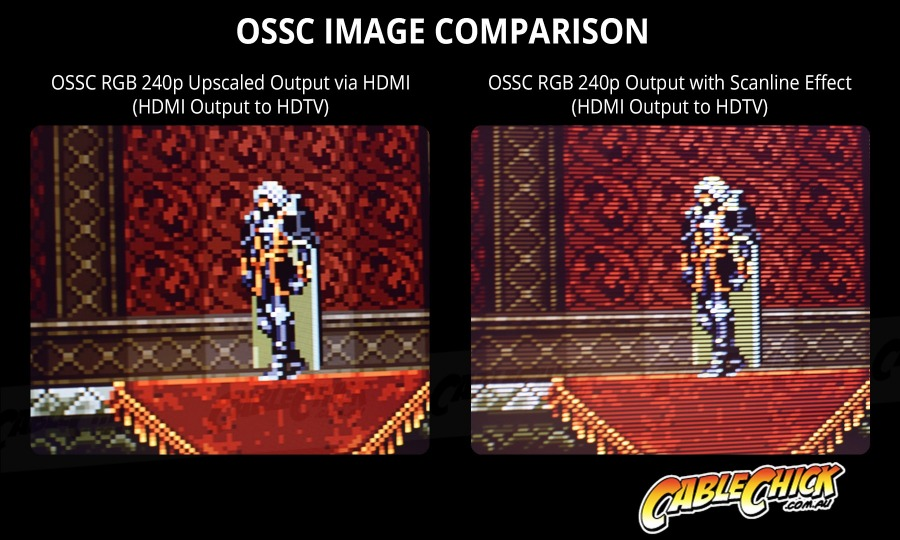
One of the RetroTINK 5X Pro’s most interesting features for the CRT community is its built-in CRT simulation modes. These include adjustable scanline overlays, phosphor glow simulation, and barrel distortion options that approximate the look of a real CRT on a modern flat panel display.
The results are genuinely impressive – significantly better than software shaders in most emulators – but it is worth being honest about their limits. Side by side with a real Sony Trinitron or PVM, the RetroTINK’s CRT simulation is clearly a digital approximation. The organic phosphor glow, the natural variation in scanline intensity, and the physical depth of a real CRT tube are things no digital filter has fully replicated. The RetroTINK’s shaders are the best option for people without a CRT – but they are not a replacement for the real thing.
RetroTINK 5X Pro vs OSSC vs RetroTINK 4K
No RetroTINK 5X Pro review in 2026 is complete without addressing the competition directly.
| RetroTINK 5X Pro | OSSC Pro | RetroTINK 4K | |
|---|---|---|---|
| Price | $325 | $250-400 | $475-750 |
| Max output | 1440p | 1080p line multiply | 4K |
| Ease of use | Excellent | Complex | Excellent |
| TV compatibility | Universal | Variable | Universal |
| Input lag | Virtually zero | Zero (line doubler) | Virtually zero |
| Composite/S-Video support | Yes | Limited | Yes |
| CRT shaders | Good | Basic | Excellent |
| Firmware updates | Regular, active | Slower, community driven | Regular, active |
| Best for | Most retro gamers | Technically minded enthusiasts | Serious collectors, 4K displays |
The RetroTINK 5X Pro occupies the sweet spot in the market. The OSSC Pro is a capable device but its variable TV compatibility and steeper learning curve make it less practical for most users. The RetroTINK 4K is the undisputed champion for image quality but at $475-750 it targets a completely different buyer. For the majority of retro gamers who want excellent results without complexity, the 5X Pro remains the recommendation in 2026.
Is the RetroTINK 5X Pro Worth It in 2026?
At $325, the RetroTINK 5X Pro is a significant investment – and it is worth being honest that the same money could buy two or three excellent consumer CRTs with change to spare. If you have the space for a CRT and want the most authentic retro gaming experience possible, a real CRT is still the better choice for classic 240p console gaming.
The RetroTINK 5X Pro makes the most sense if:
- You do not have space for a CRT or live in a situation where a large CRT is impractical
- You want to play retro games on a large modern TV without the image quality compromises of basic upscalers
- You have a large collection spanning multiple consoles and want one device to handle all of them cleanly
- You record or stream retro game content and need a clean HDMI signal from analogue consoles
- You already own a CRT but want a modern display option for certain setups or consoles
It is less essential if you primarily play on a CRT already, have a limited console collection, or are on a tight budget where a good CRT would serve you better.
Where to Buy the RetroTINK 5X Pro
Another question that comes up in every RetroTINK 5X Pro review is where to actually get one at the correct price.
The RetroTINK 5X Pro is available directly from retrotink.com at $325 – buying direct is recommended to ensure you get genuine firmware support and the latest version of the unit. Authorised retailers including 8BitMods and RetroStuff Canada also stock it. Avoid third-party marketplace listings at inflated prices – the official price is $325 and it is generally in stock direct from the manufacturer.
Frequently Asked Questions – RetroTINK 5X Pro
These are the most common questions we found alongside this RetroTINK 5X Pro review – answered based on real testing and community experience.
Does the RetroTINK 5X Pro work with PAL consoles?
Yes – the RetroTINK 5X Pro supports NTSC, PAL, and PAL-60 video standards. PAL consoles including PAL SNES, Mega Drive, PS1, and PS2 all work correctly. PAL users who switch between 50Hz menus and 60Hz games on modded systems can use the Lock to 60Hz feature to prevent display compatibility issues.
Does the RetroTINK 5X Pro add input lag?
The RetroTINK 5X Pro adds virtually zero input lag. The FPGA-based design processes video without frame buffering, meaning the delay introduced by the device itself is imperceptible. The total input lag in your setup will be dominated by your TV’s own processing time – enabling Game Mode on your TV is still recommended to minimise this.
Can the RetroTINK 5X Pro replace a CRT?
For convenience and space, yes. For absolute authenticity, no. The RetroTINK 5X Pro with its CRT shader modes gets closer to the real CRT experience than any other modern display solution, but a real CRT still produces the phosphor glow, natural scanlines, and zero-lag response that digital displays cannot fully replicate. The RetroTINK is the best alternative to a CRT – not a replacement for one.
Which consoles work best with the RetroTINK 5X Pro?
The SNES, PS1, Mega Drive, and Saturn work best due to their native RGB output – connected via SCART they produce exceptional results. PS2 via Component is also excellent. The N64 works well via S-Video but benefits significantly from an RGB mod for the best possible results. The NES works correctly but its lower resolution and limited colour palette show less dramatic improvement than 16-bit and 32-bit era consoles.
Is the RetroTINK 4K worth the extra money over the 5X Pro?
For most retro gamers, no. The RetroTINK 4K produces a noticeably better image on 4K displays and has more advanced CRT simulation modes, but at $475-750 it costs significantly more than the 5X Pro’s $325. Unless you have a 4K display and are a dedicated enthusiast who will use the advanced features, the 5X Pro gives you 90% of the result for significantly less money.
For more on choosing the right display for retro gaming, read our CRT vs LCD retro gaming comparison and our guide to what makes a CRT unique for retro gaming.
The bottom line of this RetroTINK 5X Pro review is simple – at $325 it is the best upscaler for most retro gamers in 2026 but you could get a CRT screen for less that that.
