The CRT vs LCD retro gaming debate is one of the hottest topics in the community right now – and for good reason. Are real CRTs still worth the effort in 2026, or have modern monitors with advanced shaders and upscalers finally closed the gap?
After spending two years running multiple CRT setups alongside high-end LCDs – testing hundreds of games across different consoles, rooms, and living situations – I can give you a detailed, honest answer. In the CRT vs LCD retro gaming comparison, both displays have a strong case depending on your situation. Let’s break it down across every factor that actually matters.
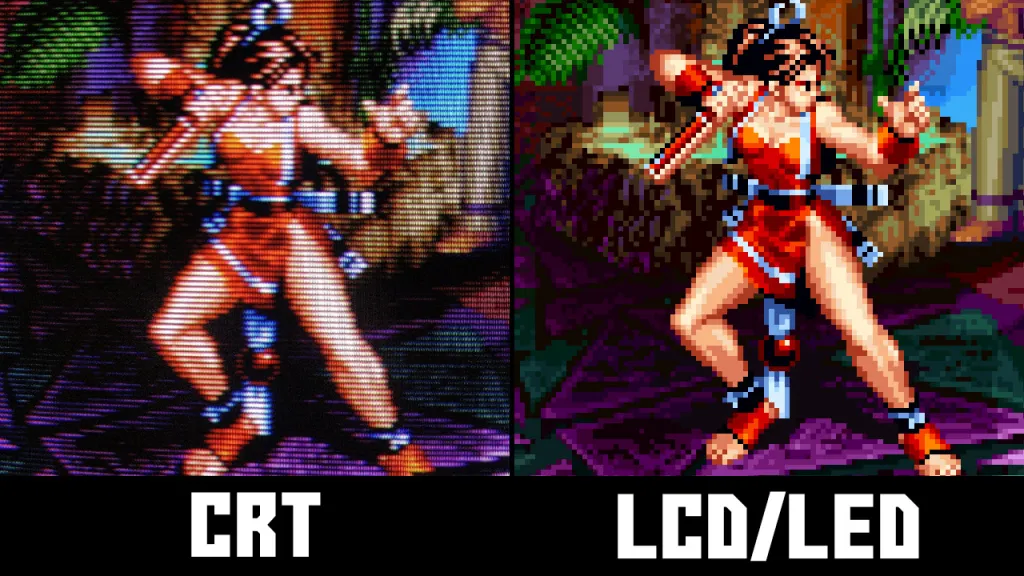
The Short Answer
- For maximum authenticity, nostalgia, and that true “retro feel” → Retro CRT still wins clearly in 2026.
- For convenience, space, versatility, and modern games → an LCD is often the smarter practical choice.
- Best solution for most people → A hybrid setup (using both).
| CRT | LCD / Modern Monitor | |
|---|---|---|
| Authenticity | Unmatched – real scanlines, phosphor glow | Shader approximation only |
| Input lag | Virtually zero | 1–4ms even on best gaming monitors |
| 240p support | Native | Requires upscaler (RetroTINK etc.) |
| Size & weight | Heavy, bulky, deep | Slim, lightweight, wall-mountable |
| Cost to acquire | $0–$80 (consumer), $80–$400 (PVM) | $150–$400 for a good low-lag panel |
| Maintenance | Calibration, degaussing, ageing tubes | Minimal |
| Cable complexity | High – SCART, BNC, S-Video etc. | Simple – HDMI or DisplayPort |
| Modern game support | Poor – limited to analogue signals | Full support |
| Best for | Purists, dedicated retro setups | Mixed use, small spaces, beginners |
Let’s dive deep into every major factor.
1. Authenticity & Overall Gaming Feel
Retro CRT Wins Decisively
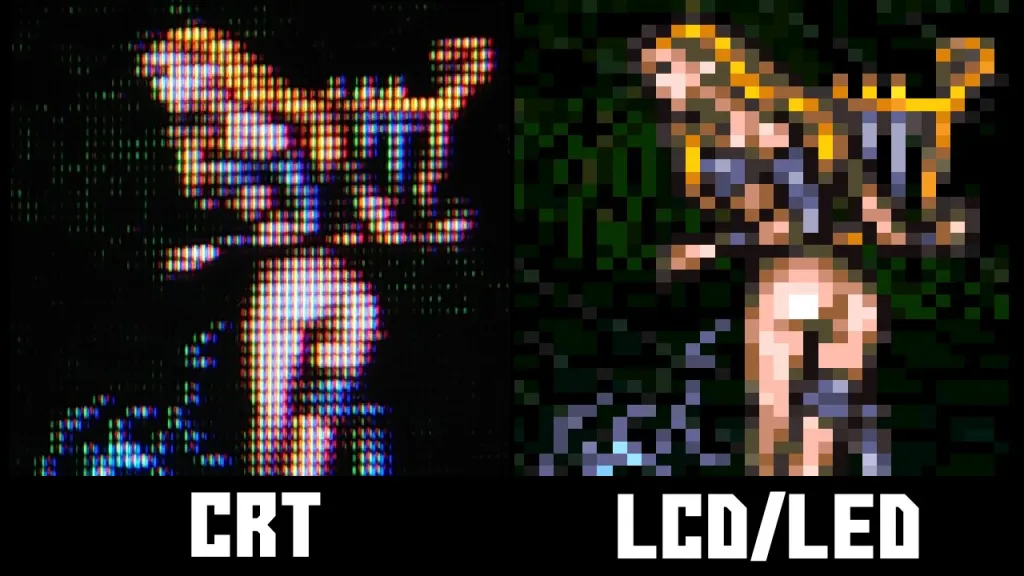
When comparing CRT vs LCD for retro gaming, authenticity is where the gap is most obvious – and it’s not even close. The natural phosphor glow, organic scanlines, perfect analog motion clarity, deep inky blacks, and that special “CRT magic” make games feel exactly how developers intended them in the 80s, 90s, and early 2000s.
Games like Super Mario World, Chrono Trigger, Metal Gear Solid, Street Fighter II, and Sonic the Hedgehog feel noticeably better on a real CRT. The way pixels blend, the way motion looks, and the overall “soul” of the image is unmatched. Many players describe it as “going home.”
LCD Even with the best CRT shaders (in RetroArch, LaunchBox, or custom setups), it’s still an emulation. You can get very close – sometimes impressively close – but it never feels 100% authentic. There’s always a slight digital quality to it that purists notice immediately.
2. Space Requirements & Apartment Living Reality
LCD or LED Wins Big
This is one of the biggest practical differences in 2026, especially for people living in cities or small apartments.
- A typical 27-inch Retro CRT is heavy (15–35+ kg), deep (often 50–60 cm), and bulky. Finding a stable place for it in a small apartment, studio, or shared house can be extremely difficult.
- Moving a CRT is a two-person job and carries real risk of damage during transport.
- Heat output and ventilation needs make placement tricky in tight spaces or rooms without good airflow.
LCD or LED Advantage Slim (often under 10 cm deep), lightweight (usually 3–8 kg), easy to wall-mount, and fits on almost any desk. Perfect for apartments, dorm rooms, or minimal living situations. You can easily move it around or store it when friends come over.
If you live in a small space or frequently move, a modern monitor is often the only realistic long-term option.
3. Cable Management & Multi-Console Setup
LCD or LED Wins
- Most modern setups use HDMI or DisplayPort – clean, standardized, and simple.
- Easy switching between consoles with one HDMI switch or KVM.
- Minimal cable clutter.
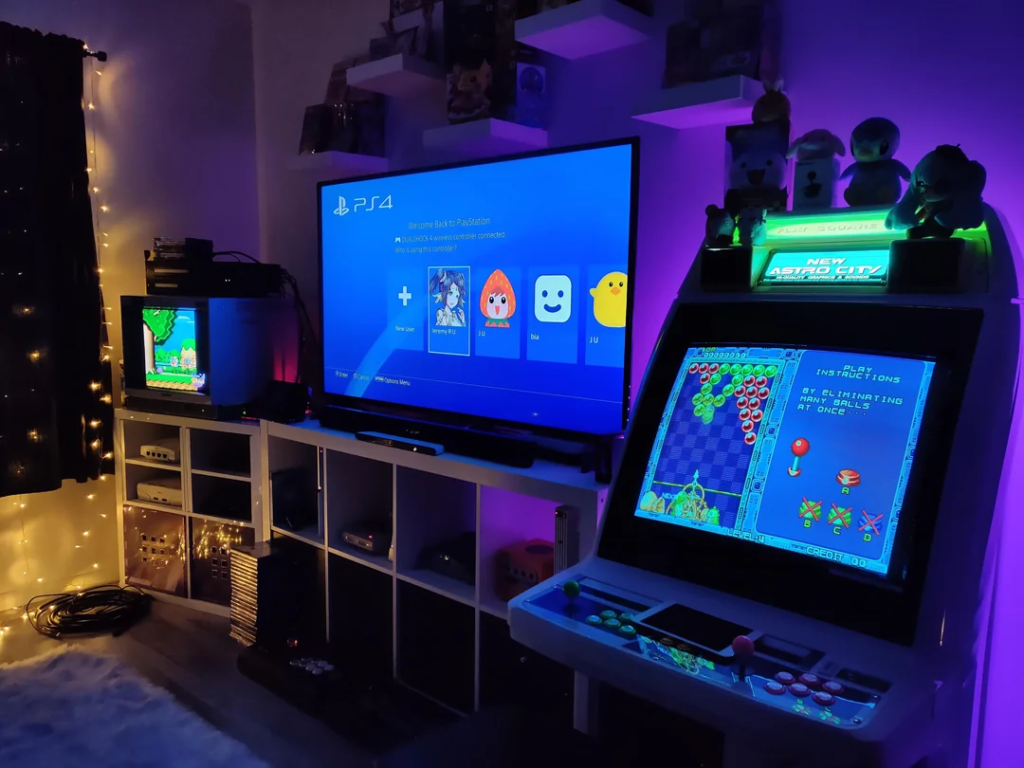
Retro CRT Reality You often need different cables for different consoles (RGB SCART, Component, S-Video, Composite, RF, etc.). This quickly turns into a cable management nightmare. Many Retro CRT users end up with multiple AV switches, upscalers, and a tangled mess of cables behind the TV. Maintaining a clean, organized Retro CRT setup requires significant effort, planning, and ongoing maintenance.
But we can help you find the best ones!
4. Input Lag & Responsiveness
Retro CRT Wins
Input lag is one of the most important factors in the CRT vs LCD retro gaming debate, especially for timing-sensitive games.
Real CRTs have virtually zero input lag. This is especially noticeable in fighting games, platformers, rhythm games, and any title where precise timing matters.
Modern monitors have improved dramatically, but even the best “gaming” monitors with 1ms response time still add a small amount of processing lag compared to raw analog CRTs.
5. Cost, Maintenance & Long-Term Practicality
Cost and long-term practicality look very different on each side of the CRT vs LCD retro gaming comparison.
Retro CRT
- Cheaper to acquire if you hunt locally (often $20–$200)
- Higher ongoing maintenance (regular calibration, degaussing, careful transport)
- Risk of failure – replacement parts are becoming scarce and expensive in 2026
LCD or LED
- Higher upfront cost for a good low-lag model with proper HDMI support
- Much lower maintenance
- Easy to sell, upgrade, or move later
Frequently Asked Questions – CRT vs LCD for Retro Gaming
These are the most common questions we get about CRT vs LCD retro gaming – answered honestly based on real experience.
Is CRT better than LCD for retro gaming?
For authenticity, yes – a CRT is still the gold standard for retro gaming in 2026. Real scanlines, zero input lag, and native 240p support are things no LCD can genuinely replicate. That said, a modern LCD paired with a quality upscaler like the RetroTINK 5X can get surprisingly close, and for many people the convenience trade-off is worth it. If authenticity is your top priority, CRT wins. If convenience matters more, a good LCD setup is a perfectly valid choice.
Can you use a modern TV for retro gaming?
Yes, but with caveats. Most modern TVs introduce significant input lag in their default picture modes – often 40–100ms – which makes timing-sensitive games like fighting games and platformers feel noticeably sluggish. The fix is to enable your TV’s Game Mode, which typically reduces lag to 10–20ms. For the best results on an LCD, pair it with an upscaler like the RetroTINK 5X or OSSC, which handles the signal conversion cleanly and reduces processing lag further.
What is input lag and does it matter for retro gaming?
Input lag is the delay between pressing a button and seeing the result on screen. CRTs have virtually zero input lag because they display the signal almost instantly with no processing. Modern displays process the image before showing it, which introduces a small delay. For casual gaming this is often unnoticeable, but in games that require precise timing – Street Fighter, Mega Man, Castlevania, rhythm games – even 20ms of lag can affect gameplay. If you play those genres seriously, a CRT or a verified low-lag monitor matters.
Is CRT gaming worth it in 2026?
Yes, if you have the space and patience. The retro gaming community is more active than ever, CRTs are still findable for free or very cheap on Facebook Marketplace, and nothing has come close to replicating the authentic experience they deliver. The main barriers are physical size, weight, and the effort of sourcing a good one. If those aren’t dealbreakers for your living situation, getting on a real CRT is absolutely worth it – most people who try it never want to go back.
What upscaler should I use with an LCD for retro gaming?
The RetroTINK 5X is the most widely recommended option in 2026. It handles nearly every retro console signal cleanly, supports up to 1080p output, and has excellent CRT shader options that get closer to the real thing than software solutions like RetroArch alone. The OSSC (Open Source Scan Converter) is a cheaper alternative that works well for RGB sources but has less flexibility. If you’re on a tight budget, even a basic HDMI adapter with your console’s best available signal (S-Video or Component) into a low-lag gaming monitor is a solid starting point.
Do retro games look better on CRT or LCD?
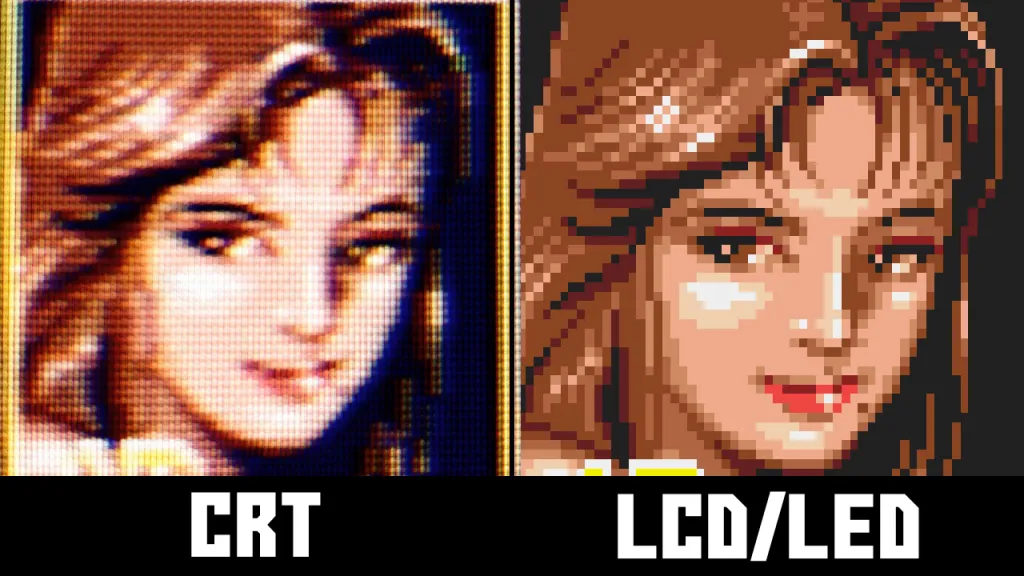
On a CRT, retro games look the way their developers intended – pixel art was designed with CRT scanlines in mind, which blend and soften the image in a way that makes sprites look more detailed than they actually are. On an LCD at native resolution, that same pixel art can look blocky and harsh. A good CRT shader on an LCD closes the gap considerably, but side by side most people still prefer the real CRT image for classic 8-bit and 16-bit games. For early 3D games (PS1, N64), the difference is less pronounced and comes down more to personal taste.
Final Verdict for 2026
So where does the CRT vs LCD retro gaming debate land in 2026? Here’s the bottom line based on your situation:
Choose a Retro CRT if:
- You have enough space for a proper dedicated setup
- Authenticity and nostalgia are your top priorities
- You mainly play classic games and enjoy the hunting/maintenance aspect
Choose a LCD or LED if:
- You live in a small apartment or have limited space
- You play a mix of old and new games
- Convenience, ease of use, and portability matter more
- Want to use upscalers to see those polygons in shiny 4K!
For most people in 2026, the best answer to the CRT vs LCD retro gaming question is a hybrid setup – keep a CRT for your main classic gaming sessions and use your existing LCD for everything else. If you have the space for a CRT, you won’t regret it. Once you see your SNES running on a real tube screen, you’ll understand why this community refuses to go back.
Now if you need help deciding what type of CRT to get, check out our comparisons!
