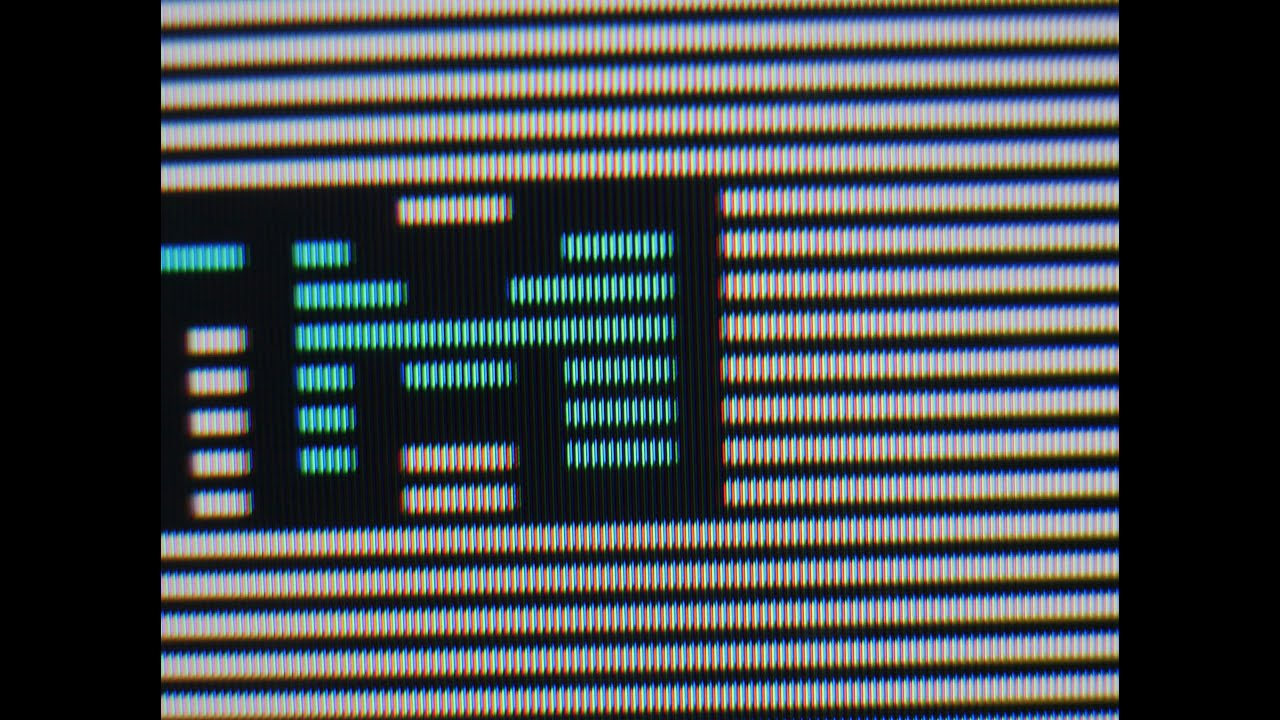
CRT scanlines are one of the most talked about topics in the retro gaming community – and one of the most misunderstood. To some they look like a flaw, a visible reminder that CRT technology is old. To anyone who grew up playing games on a real CRT, they are an essential part of how those games were meant to look. This guide explains exactly what CRT scanlines are, why game developers designed around them, and why no modern display has fully replicated them.
What Are CRT Scanlines?
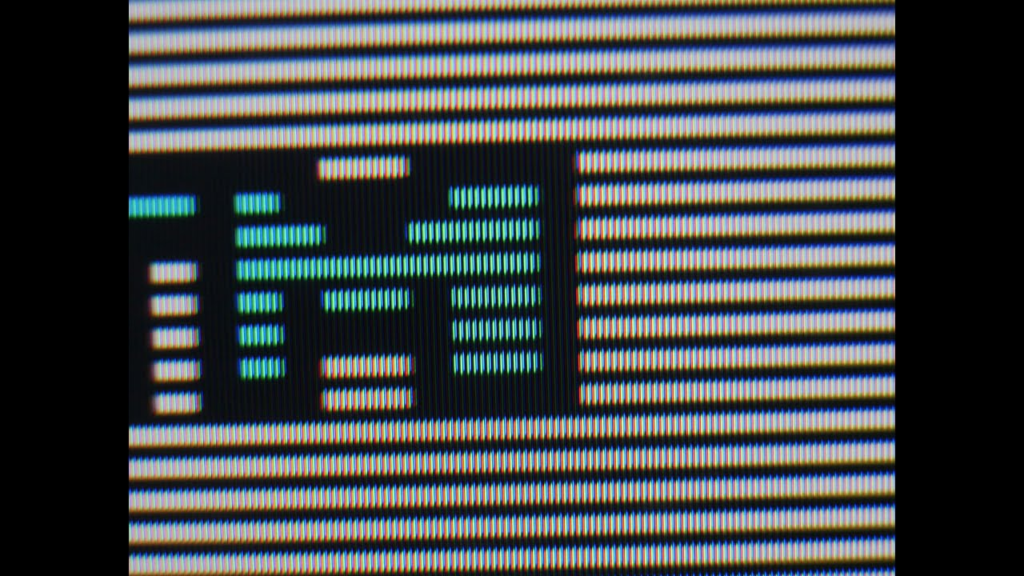
CRT scanlines are the thin horizontal dark lines visible between rows of pixels on a CRT display. They are not a defect – they are a natural byproduct of how a CRT draws an image.
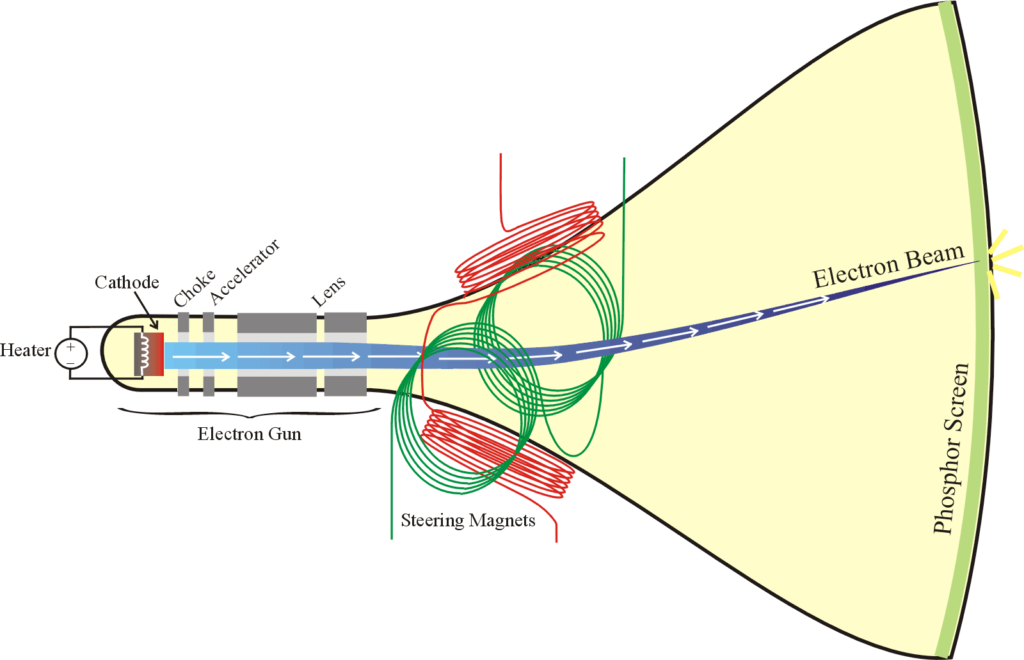
A CRT creates images by firing an electron beam across the screen in horizontal lines from top to bottom, one line at a time. This process is called raster scanning. Each pass of the electron beam illuminates a row of phosphor dots on the screen, and the brief gaps between each lit row create the visible dark lines we call scanlines.
On a standard definition CRT running at 240p – the resolution used by most retro consoles – the screen draws 240 lines of image with 240 gaps between them. The result is a distinctive interlaced pattern of light and dark that gives retro games their characteristic look.
Why Were Retro Games Designed Around CRT Scanlines?
Every game released before the mid-2000s was designed, tested, and approved on a CRT display. Game artists knew exactly how their pixel art would look on a real CRT – and they used scanlines deliberately as part of their visual toolkit.
Here is what scanlines actually did for retro game visuals:
- Blended harsh pixel edges – the dark gaps between scanlines softened the hard edges of pixel art, making sprites look more detailed and organic than they actually were at the raw pixel level.
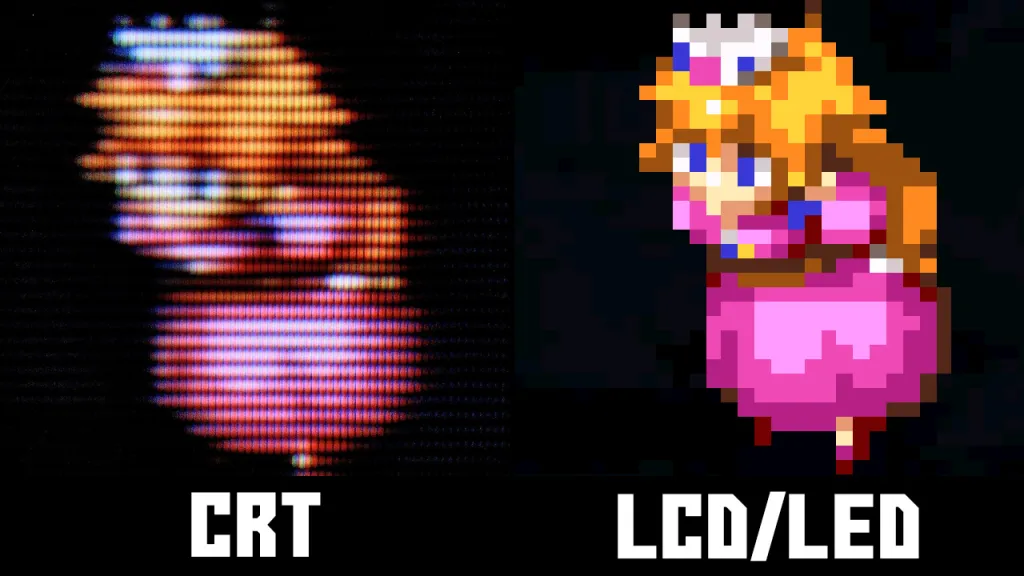
- Added perceived detail – a 16×16 pixel sprite on a CRT with scanlines appears to have far more visual information than the same sprite displayed sharply on a modern LCD. The scanlines fill in the gaps visually.
- Created natural colour blending – adjacent pixels of different colours blended together through the scanline gaps, allowing artists to create colours and gradients that technically didn’t exist in their limited palette.
- Added depth and dimension – the contrast between lit phosphor rows and dark gaps gave sprites a subtle sense of depth and weight that flat LCD displays cannot replicate.
- Masked low resolution – at 240p, retro games have a relatively low pixel count by modern standards. Scanlines obscured this by filling the visual space between pixels, making the image feel complete rather than blocky.
CRT Scanlines vs No Scanlines – The Visual Difference
The easiest way to understand the impact of CRT scanlines is to compare the same retro game image with and without them. Games that show the most dramatic difference include:
- Donkey Kong Country (SNES) – the pre-rendered graphics were specifically designed with CRT blending in mind. On a modern LCD they look noticeably grainy; on a CRT with scanlines they look smooth and almost three-dimensional.
- Street Fighter II (SNES/Mega Drive) – character sprites were drawn to be viewed through scanlines. The fine detail in shading and muscle definition is partially created by the scanline blending effect.
- Castlevania: Symphony of the Night (PS1) – widely considered one of the most beautiful 2D games ever made, and specifically designed around CRT display characteristics including scanlines and phosphor glow.
- Any game with a dark atmosphere – the natural black levels and phosphor contrast of a CRT make dark scenes in games like Silent Hill or Resident Evil genuinely atmospheric in a way no modern display replicates.
240p vs 480i – How Resolution Affects Scanlines
Not all CRT content displays the same scanline pattern. Understanding the difference between 240p and 480i helps explain why some content looks better on a CRT than others.
240p – used by most retro consoles including SNES, Mega Drive, PS1, and N64. At 240p the CRT draws 240 lines of image, leaving wide, clearly visible scanlines between each row. This is the resolution that produces the classic retro gaming scanline look.
480i – used by DVD players, PS2, and some later retro consoles in certain modes. At 480i the CRT draws 480 lines in two interlaced passes, producing much finer scanlines that are barely visible at normal viewing distance. The image looks noticeably sharper but loses some of the characteristic retro scanline appearance.
For the classic CRT scanline experience, 240p content on a good CRT is the gold standard. This is one of the reasons the retro gaming community specifically seeks out consoles and games that run at 240p rather than upscaling to higher resolutions.
Can You Replicate CRT Scanlines on a Modern Display?
This is one of the most debated topics in the retro gaming community. The short answer is: you can get close, but not identical.
CRT shaders – software filters available in emulators like RetroArch that simulate the look of CRT scanlines on a modern display. The best CRT shaders (particularly the CRT-Royale and CRT-Geom shaders) are genuinely impressive and add scanlines, phosphor glow, and barrel distortion that approximate the CRT look. They are the best option for people who cannot access a real CRT.
Upscalers with scanline filters – devices like the RetroTINK 5X include built-in scanline overlay options that add simulated scanlines when outputting to a modern TV. These are cleaner than software shaders but still not identical to real CRT scanlines.
What you cannot replicate – the phosphor persistence (the natural glow and fade of phosphor dots), the slight bloom around bright pixels, and the organic variation in scanline intensity across a real CRT screen are all analogue phenomena that digital approximations have not fully captured. Side by side, most experienced retro gamers can immediately identify which image comes from a real CRT and which comes from a shader.
For a full breakdown of how CRT and LCD displays compare for retro gaming, read our CRT vs LCD retro gaming guide.
Which CRT Produces the Best Scanlines for Retro Gaming?
Not all CRTs produce the same scanline appearance. Here is how the main types compare:
| CRT type | Scanline visibility | Scanline quality | Best for |
|---|---|---|---|
| Consumer CRT (shadow mask) | Moderate | Soft, natural | Authentic living room feel |
| Consumer CRT (Trinitron aperture grille) | High | Sharp, defined | Crisp scanlines, vibrant colour |
| PVM (aperture grille) | Very high | Precise, tight | Maximum scanline definition |
| BVM | Very high | Exceptional | Reference quality scanlines |
Sony Trinitron tubes – found in both consumer CRTs and PVMs – produce the sharpest and most defined scanlines due to the aperture grille design. This is one of the main reasons Trinitrons are the most sought-after CRTs in the retro gaming community.
Frequently Asked Questions – CRT Scanlines
Are CRT scanlines bad for your eyes?
No – CRT scanlines are not harmful to your eyes with normal gaming use. The flicker rate of a CRT at standard refresh rates (50-60Hz) is fast enough that most people do not consciously perceive it. Some people are more sensitive to CRT flicker than others, particularly at lower refresh rates, but for the vast majority of users a CRT is perfectly comfortable for extended gaming sessions.
Why do retro games look pixelated on modern TVs but not on CRTs?
Modern TVs display every pixel as a sharp, hard-edged square at native resolution. CRTs blur and blend pixels naturally through the scanline gaps and phosphor spread, which masks the blocky pixel structure. The result is that the same pixel art looks harsh and unfinished on a modern display but smooth and intentional on a CRT – because the artist designed it to be viewed through that natural blending effect.
What resolution produces the best CRT scanlines?
240p produces the most visible and characteristic CRT scanlines. At 240 lines of vertical resolution the gaps between scanlines are wide enough to be clearly visible, creating the classic retro gaming look. Higher resolutions like 480i and 480p produce finer scanlines that are less visible at normal viewing distance.
Do all CRTs show scanlines?
Yes – all CRTs produce scanlines as a natural result of how they draw images. The visibility and character of the scanlines varies depending on the tube type, screen size, and resolution being displayed. Larger screens and lower resolutions produce more visible scanlines. Aperture grille tubes like the Sony Trinitron produce sharper, more defined scanlines than shadow mask tubes.
Are CRT scanlines the same as interlacing?
No – they are related but not the same thing. Scanlines are the visible dark gaps between rows of pixels on any CRT display. Interlacing is a specific scanning method where the CRT draws alternating lines in two passes to double the apparent resolution. At 240p most retro consoles use progressive scanning rather than interlacing, which produces the wide, clearly visible scanlines associated with classic retro gaming.
Want to see CRT scanlines at their best? Read our guide to the best CRT TVs for retro gaming to find the right display, and our CRT cables guide to make sure you are getting the best possible signal into it.
