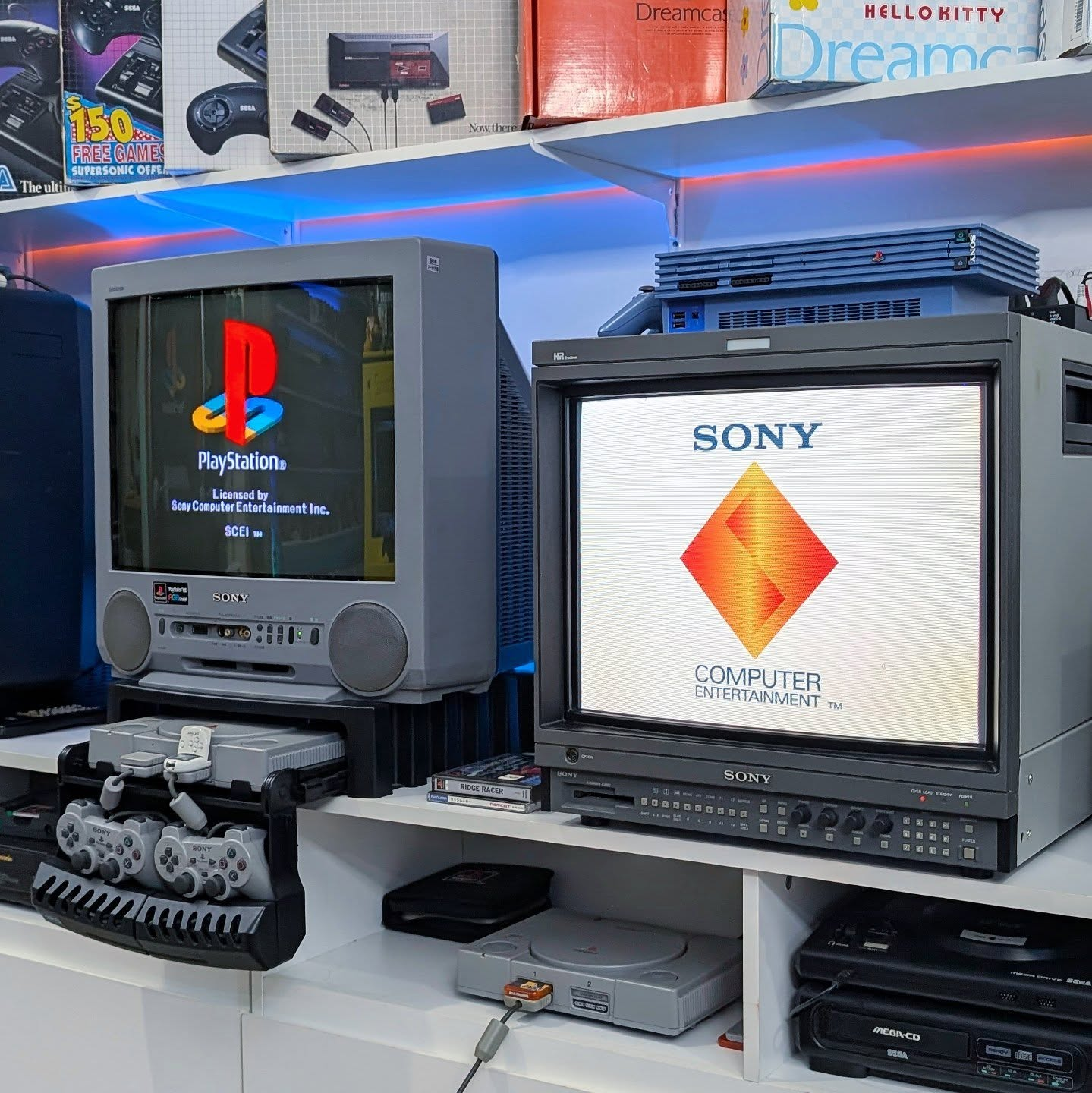
Finding the best CRT for PS1 gaming in 2026 is one of the most rewarding pursuits in the retro gaming hobby. The PlayStation 1 library was designed entirely around CRT displays – the atmospheric lighting in Silent Hill, the fluid sprite work in Castlevania Symphony of the Night, and the raw energy of Tekken 3 were all created with CRT scanlines, phosphor glow, and analogue colour in mind. On a modern flat panel these games can look harsh and unintentional. On the right CRT they look exactly as their developers intended.
This guide covers the best CRT for PS1 types and specific models for PS1 gaming, the best cable options, and exactly what to look for when building your PS1 CRT setup in 2026.
Why the PS1 Looks So Good on a CRT
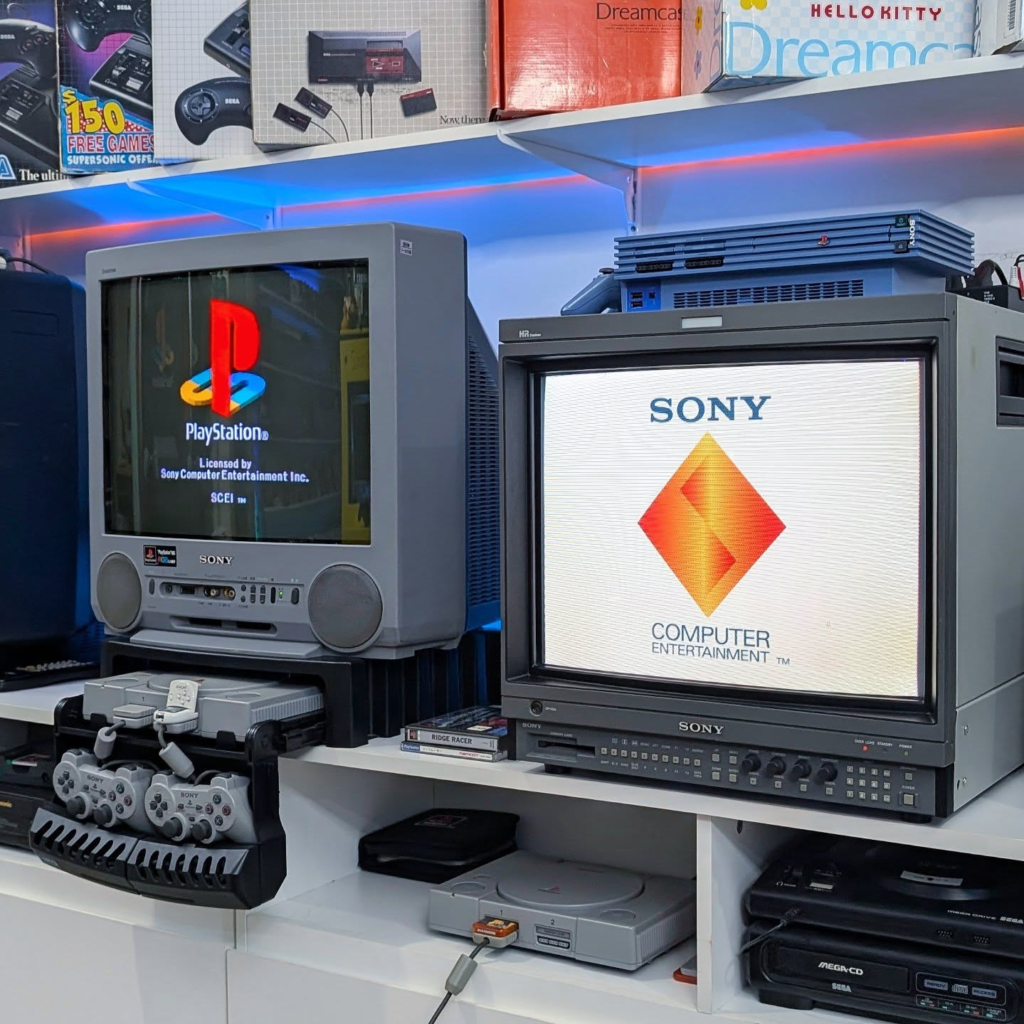
The PS1 has a unique relationship with CRT displays. Its early 3D graphics – low polygon counts, affine texture mapping, and integer-based vertex positioning – produce the characteristic PS1 wobble that many players consider part of the console’s charm. On a CRT this wobble is softened by the natural phosphor blending and scanline structure, giving PS1 games a warm, cohesive look that modern displays render harshly.
The PS1 also has an exceptionally strong 2D library. Games like Castlevania Symphony of the Night, Vagrant Story, and Street Fighter Alpha 3 were drawn with CRT display characteristics specifically in mind – the scanlines fill in the gaps between pixels in a way that makes sprites appear far more detailed than their raw pixel count suggests. On a modern LCD these same sprites look flat and blocky. On a good CRT they look stunning.
Unlike the N64, the PS1 outputs RGB natively without any modification – making it one of the easiest and most rewarding consoles to connect to a high quality CRT for the best possible image.
What to Look for in the Best CRT for PS1 gaming
Knowing what features matter makes finding the best CRT for PS1 gaming significantly easier than browsing random Marketplace listings.
These are the key features to prioritise when choosing a CRT for PS1 gaming:
- RGB SCART or Component input – the PS1 outputs RGB natively, so a CRT with SCART (European sets) or Component inputs unlocks the best possible image quality without any console modification.
- S-Video input as minimum – if your CRT doesn’t have SCART or Component, S-Video is a significant step up from Composite and found on most mid-range consumer sets.
- 20-27 inch screen size – the sweet spot for PS1 gaming. The PS1’s 240p and 480i output scales well to this size range without looking soft.
- Sony Trinitron tube preferred – the aperture grille design produces sharper scanlines and more vibrant colour than shadow mask alternatives, particularly beneficial for PS1’s rich colour palette.
- Good convergence – PS1’s early 3D graphics make convergence issues more visible than on 2D-only consoles. Check alignment carefully before buying.
Best CRT for PS1 – Recommended Models
Best Consumer CRT for PS1: Sony Trinitron KV-27FS120
The KV-27FS120 remains the community’s most recommended consumer CRT for PS1 gaming. Its 27-inch Trinitron tube handles PS1’s colour-heavy library beautifully, and the S-Video input gives you a clean signal straight out of the box. If your set has a SCART input (common on European versions of this model), RGB via SCART transforms the PS1’s image quality further – sharper edges, richer colours, and significantly less of the characteristic PS1 composite blur.
Typical price on Facebook Marketplace: $20-$60 depending on condition and region.
Best Compact Consumer CRT for PS1: Sony Trinitron KV-20M42
The 20-inch version of the Trinitron lineup is an excellent choice for desk setups or smaller rooms. Same aperture grille tube technology as the larger models, easier to move and position, and typically available for under $200. For PS1 gaming at desk distance the 20-inch size is arguably more immersive than a larger set – the scanlines are more visible and the image feels more intimate.
Best PVM for PS1: Sony PVM-20M4U
If you want to see what the PS1 is truly capable of, a Sony PVM fed via RGB SCART is the answer. The PVM-20M4U paired with the PS1 via a quality RGB SCART cable is widely considered one of the best looking retro gaming setups possible. The tight convergence and precise phosphor coating of the PVM produces scanlines and colour accuracy that no consumer CRT can match.
The PS1’s native RGB output makes this pairing particularly straightforward – no mods required, just a quality RGB SCART cable and a SCART to BNC adapter. Games like Castlevania Symphony of the Night and Metal Gear Solid on a PVM via RGB are genuinely breathtaking compared to any modern display alternative.
Typical price: $800-$1500 depending on condition and size.
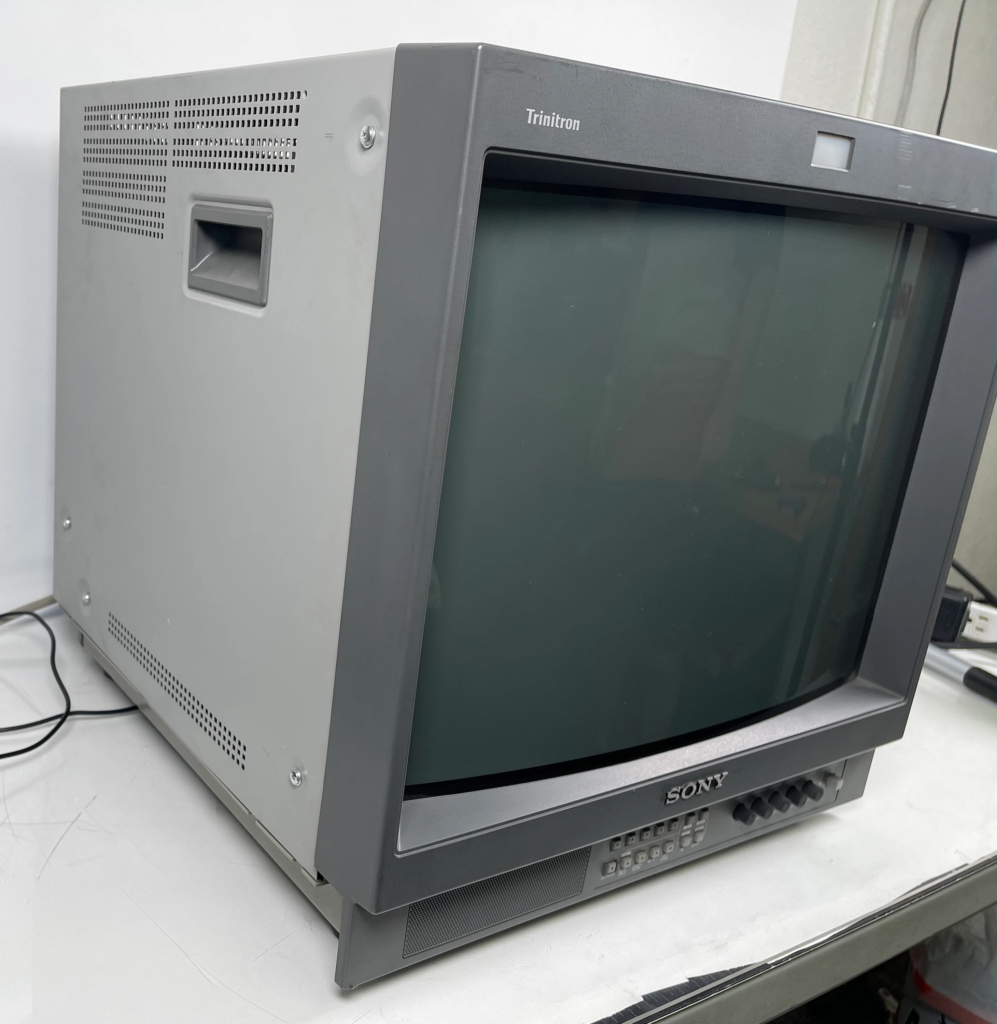
Best Compact PVM for PS1: Sony PVM-14M4U
The 14-inch PVM is the desk setup champion for PS1 gaming. Smaller, lighter, more affordable at $300-$700, and producing the same exceptional image quality as its larger sibling. For bedroom or office PS1 setups the PVM-14M4U is hard to beat – the combination of sharp scanlines, RGB input, and compact size makes it one of the most practical high quality CRT options available in 2026.
Best Cables for PS1 on a CRT
| Cable type | Signal quality | PS1 compatible | CRT input needed | Recommended |
|---|---|---|---|---|
| RF | Very poor | Yes | RF aerial | Avoid |
| Composite RCA | Poor | Yes – stock cable | Yellow RCA | Starting point only |
| S-Video | Good | Yes – native | S-Video port | Good budget option |
| RGB SCART | Excellent | Yes – native | SCART socket | Best for European CRTs |
| Component YPbPr | Excellent | Yes – native | Component inputs | Best for US CRTs |
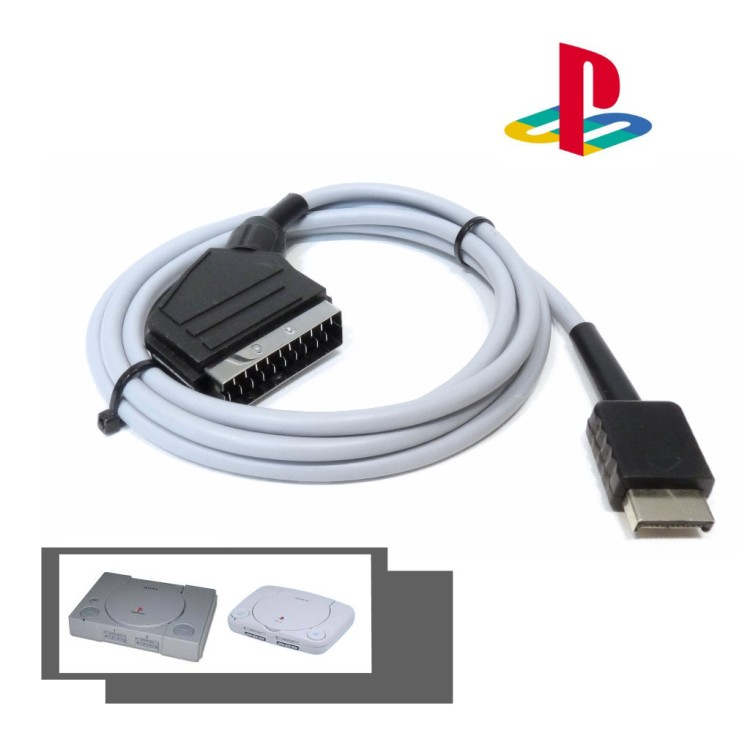
The PS1 is one of the most cable-friendly retro consoles available – it supports every major analogue video signal natively via its Multi AV port. This means whatever CRT you find locally, there is almost certainly a cable option that will give you a good signal. For a full breakdown of each cable type read our complete CRT cables guide.
PS1 CRT Setup – Consumer CRT vs PVM Comparison
The best CRT for PS1 gaming depends heavily on whether you prioritise screen size and authenticity or image precision and desk-friendly dimensions.
| Consumer CRT | PVM | |
|---|---|---|
| Price | Free – $200 | $200 – $1800 |
| Screen size | 20 – 36 inches | 8 – 20 inches |
| Image quality | Good – very good | Excellent |
| RGB input | SCART on European models | BNC on most models |
| PS1 atmosphere | Warm, living room feel | Sharp, clinical precision |
| Best PS1 genres | RPGs, adventure, platformers | All genres, fighting games especially |
| Availability | Common | Moderate – getting rarer |
Where to Find the Best CRT for PS1 Gaming in 2026
- Facebook Marketplace – best source for consumer Trinitrons. Search “CRT TV”, “Sony Trinitron” or “old TV” locally. Many are free or under $30.
- eBay – better for PVMs. Always check sold listings to set realistic price expectations before bidding.
- Thrift stores – worth checking regularly. S-Video equipped Trinitrons still appear at low prices more often than you would expect.
- r/crtgaming – active buy/sell/trade community. Good for PVMs from sellers who know what they are selling and describe condition accurately.
- Local repair shops – some still hold old stock. Worth a phone call if Marketplace is dry in your area.
Frequently Asked Questions – Best CRT for PS1
Does the PS1 need a mod to output RGB on a CRT?
No – the PS1 outputs RGB natively via its Multi AV port without any modification. This makes it one of the easiest retro consoles to connect to a high quality CRT. The only exception is the very earliest SCPH-1000 model PS1, a Japanese-only release that does not output RGB by default. All other PS1 models support RGB natively.
What is the best PS1 game to test a CRT setup?
Castlevania Symphony of the Night is the most commonly recommended test for PS1 CRT setups. Its rich colour palette, detailed sprite work, and atmospheric lighting showcase exactly what a good CRT does for PS1 games. Metal Gear Solid is another excellent test – its cinematic presentation and dark environments highlight the CRT’s black level and contrast advantages over modern displays.
Is a PVM worth it specifically for PS1 gaming?
Yes – more so than almost any other console. The PS1’s native RGB output paired with a Sony PVM via SCART or BNC produces one of the best looking retro gaming images possible. The PS1 library also has a large number of 2D games specifically designed around CRT display characteristics – these look exceptional on a PVM in a way that justifies the investment for dedicated PS1 fans.
What size CRT is best for PS1 gaming?
20-27 inches is the sweet spot for most PS1 gaming setups. At this size the PS1’s 240p output fills the screen comfortably and scanlines are clearly visible without being overwhelming. For desk setups a 14-20 inch PVM is ideal. Avoid going above 32 inches – at that size 240p content starts to look noticeably soft even on a good CRT.
Can I use a modern TV for PS1 instead of a CRT?
Yes, but with notable compromises. Modern TVs add input lag, display PS1’s 240p signal incorrectly without an upscaler, and render the console’s pixel art harshly without the natural blending a CRT provides. A RetroTINK 5X Pro solves most of these issues on a modern TV – for a full breakdown read our RetroTINK 5X Pro review. For the most authentic PS1 experience a CRT remains the best choice in 2026.
Whichever model you choose, pairing your PlayStation 1 with the best CRT for PS1 gaming transforms how the console looks and feels compared to any modern display alternative.
Ready to complete your PS1 CRT setup? Read our step by step guide to connecting a PS1 to a CRT TV for everything you need to get the best possible signal from your PlayStation 1.
